
Razer AVA Local vs Cloud: What Razer Has Confirmed About Where Its AI Runs
Razer says AVA will split its work between your PC and the cloud. What it hasn't said is what will run locally, on which models, or what hardware you'll need. Here we separate what's confirmed from what is still guesswork.
Correction — Oct 23, 2026
The first version of this article presented an AVA "local mode" built on Razer AIKit, a cloud mode running on Akash Network, offline use and the RTX 4090 as a reasonable minimum as facts. Razer has said none of that: AIKit and Akash only appear together in the AVA Mini campaign, which has nothing to do with the assistant. We've rewritten the article around what the sources listed at the end actually say.
01.What Razer has confirmed
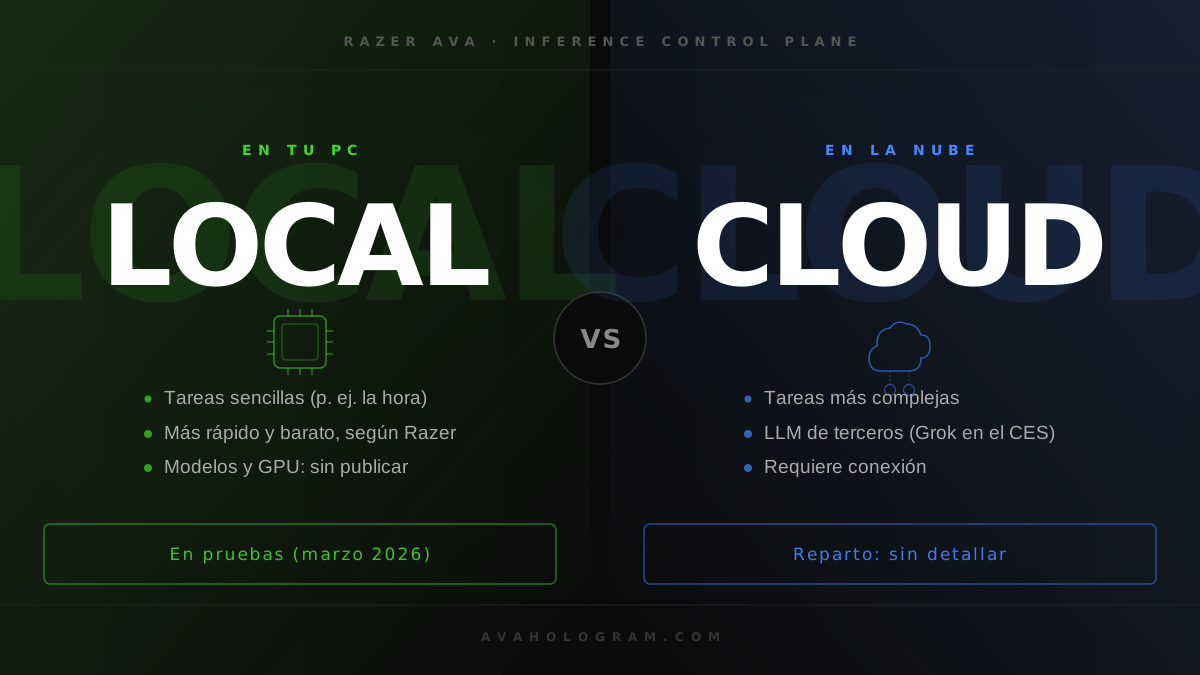
In March 2026, ahead of GDC, Razer announced that AVA would become an "agentic" assistant able to chain tasks across your apps, and that it would run locally on the PC and in the cloud. To split the work it introduced the Razer Inference Control Plane, which according to Razer "routes requests intelligently between local and cloud models" for lower latency and smoother multi-step tasks. We cover it in detail in our article on AVA as an agent.
Quyen Quach, Razer's vice president of software, explained it to Variety:
"Running locally and in the cloud is important, because most AI right now runs in the cloud [...] and there are certain tasks that we don't need to go to the cloud. So we've been doing testing on being able to just run everything on your PC. That's going to lead to much faster response times. It's going to be cheaper for the user. [...] If you were to ask, 'What time is it?,' then it doesn't really need to go to the cloud for that, it can just check your system for the time and respond."
— Quyen Quach, VP of Software at Razer, in Variety (Mar 9, 2026)
Three other official facts help put it in context:
- AVA needs a Windows PC. According to Razer's FAQ, it connects over USB-C, and that link lets "PC Vision Mode" analyze the screen with low latency.
- It uses third-party language models. Razer says AVA "currently utilizes state-of-the-art LLMs" and that its architecture is meant to support other platforms, including a dedicated Razer AI. At CES it ran on xAI's Grok. In The Verge interview, Min-Liang Tan said Razer hadn't decided which model it will use.
- The beta runs through Razer Cortex and Razer ID. Razer says beta data is wiped at the end of the program. The Early Access launch is planned for early 2027.
02.What Razer hasn't said
- Which tasks will run on your PC and which in the cloud, beyond the time example.
- Which models will run locally or how much video memory they'll need.
- Whether a specific graphics card will be required. No GPU requirements have been published.
- Whether AVA will work without an internet connection.
- Which servers the cloud side will use.
- Whether the local side will rely on Razer AIKit.
Nor should local processing be read as a privacy promise. Quach justified it on speed and cost, not privacy, and as long as the conversation goes through a cloud LLM, what you say will leave your PC. What a companion keeps from what you tell it, and how to delete it, is covered in our guide to AI companion memory.
03.AIKit and Akash: why they get mixed up with AVA
Razer AIKit is an open-source kit for developers who want to run and fine-tune models on their own GPUs. It runs in Docker inside WSL 2, bundles vLLM, Ray and LlamaFactory, and requires an NVIDIA GPU from the Volta generation or later. Razer hasn't presented it as AVA's local side. We explain it in our article on AIKit, Forge AI and Tenstorrent.
The only time Razer has used AIKit alongside AVA was AVA Mini, its April Fools joke. Behind it was a real image generator running on RTX 4090 and 5090 GPUs rented on Akash Network. According to Razer, between March 31 and April 4 it produced over 11,000 images, averaging 3.24 seconds and $0.01 per image, against the $0.03–0.15 charged by typical cloud APIs.
Those figures come from an image generator on rented servers, not from the assistant running on a user's PC. They say nothing about AVA's latency, the GPU it will need or where its servers will be.
04.Do you need an RTX 4090 to use Razer AVA?
There's no basis for saying so. For now, Razer only requires a Windows PC with a USB-C connection. If the local side ends up needing a dedicated GPU, Razer will have to publish the requirements. Until then, any specific card is a guess. What is confirmed is in Razer AVA's requirements.
05.Our take
Splitting work between the PC and the cloud makes sense: asking the time or turning the volume up shouldn't depend on a server, and handling that locally makes each answer cheaper. But Razer has described it as something it's testing, with no details, so we wouldn't treat it as a feature to count on when buying.
If you're deciding today, the safe assumption is that AVA will need internet to hold a conversation, because its brain is still a cloud LLM. Once Razer publishes the final spec sheet, we'd check three things before buying: which features work offline, what is processed on the PC, and whether there are GPU requirements.
Sources
- Razer AVA goes "fully agentic", locally and in the cloud (Variety, Mar 9, 2026)
- Razer at GDC 2026 (KitGuru)
- Official Razer AVA page and FAQ
- Razer AIKit repository (GitHub)
- AIKit expands to image, video, audio and ARM64, with AVA Mini figures (Razer Newsroom, Apr 30, 2026)
- Min-Liang Tan interview (The Verge, Decoder)
Want to try Razer AIKit?
avasdk.com has a guide to Razer AIKit with the real requirements and the official Docker install command.
VIEW THE AIKIT GUIDE