
Beyond gaming: 5 ways Project AVA (Razer AVA) can help you work
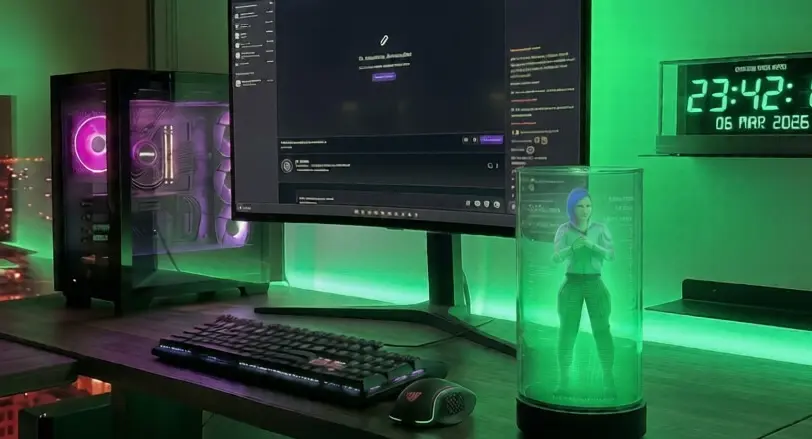
Razer AVA is pitched as a companion for gamers, but much of what Razer shows on its page is about everyday life: planning, brainstorming, translating or looking at your screen with you. Here are five ways to use it for work, separating what Razer has confirmed from what's still unknown.
Update — Oct 19, 2026
We have rewritten this article. The previous version described features we could not find in any source, such as detecting your stress through an Apple Watch, acting as a meeting teleprompter, projecting 3D mockups or suggesting Excel formulas, and claimed they were CES 2026 demos. We now only cover the uses Razer publishes, with sources at the end.
1.Looking at what's on your screen with you
With PC Vision Mode, AVA analyzes your screen content. That's what lets you ask about what you're looking at without copying it into a chat. It requires a direct wired USB-C connection to a Windows PC.
What's unknown: Razer hasn't detailed how far the analysis goes: whether it works equally well on a document, a spreadsheet or a game, or how accurate it is.
2.Brainstorming and refining pitches
Razer lists brainstorming creative concepts and refining pitches among AVA's uses. Talking out loud with the avatar, instead of typing into a chat, is the difference Razer is selling.
What's unknown: It hasn't said whether AVA saves or exports what you discuss, for example as a document.
3.Planning your day
The daily planner is one of the features the official page highlights: planning your day, deciding what to eat or what to do with your free time. AVA can also help you talk through a decision and give you its take.
What's unknown: Razer hasn't confirmed integrations with specific calendars such as Google Calendar or Outlook.
4.Real-time text and voice translation
Razer mentions real-time translation, for both text and voice, among AVA's uses. It could help you read an email in another language or follow a conversation.
What's unknown: There is no language list and no detail on whether it works inside video calls.
5.Opening apps and coordinating plans
At GDC 2026, Razer presented AVA as an assistant that works through multi-step goals. Its examples: opening an app when you ask, kicking off a stream setup, and aligning schedules or confirming plans, even coordinating with another person's AVA.
What's unknown: That's what beta participants are testing. Razer hasn't said which apps it will handle at launch.
+What you give up in return: camera, screen and data
For all this, AVA needs to see and hear: it has an HD camera, dual far-field mics and, with PC Vision, access to what's on your screen. Razer says interactions are protected by your Razer ID and that beta data is wiped at the end of the program, but it hasn't explained where conversations are processed. Before using it for work, it's worth deciding which windows or meetings you'd rather keep out of its view.
Our take
The uses Razer publishes are sensible, but also generic: any chatbot can already plan, brainstorm or translate. What AVA adds is presence on your desk, voice and, above all, PC Vision, which lets it see what you see. If that works well, it could be more comfortable than switching windows to talk to an AI. If not, it'll be a chatbot with a hologram. The multi-step tasks shown at GDC are the most promising part for work, but until there's a list of supported apps, don't buy it expecting to automate your job.
Sources
When does Razer AVA come out?
Razer expects to launch it under Early Access in early 2027. Reservations are still US-only.
See the release date